From search to receiving, simplify complex parts procurement with AI recommendations, alternatives, PartsPlan, and photo search.
A short demo of search, AI alternatives, and PartsPlan in action.
Purchase/Sales menus work better after login + membership approval.
Submit your application in Account Settings under "Membership Application" and an admin will review and approve it.
Go to Account SettingsSearch and AI recommendations are available without login.
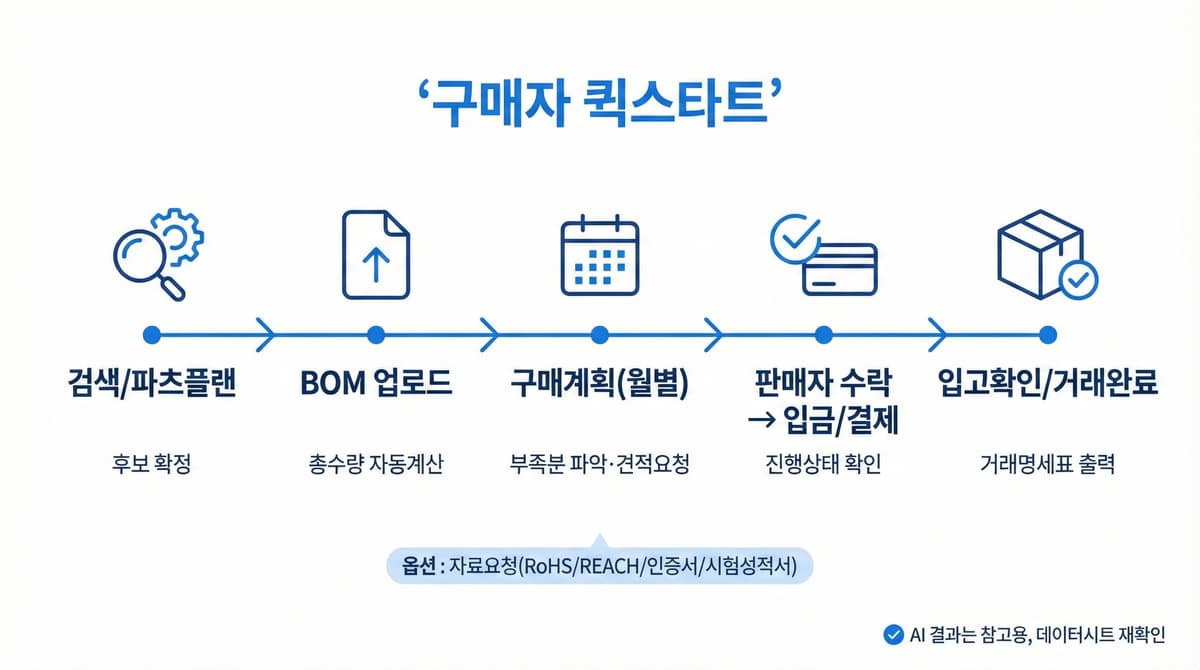
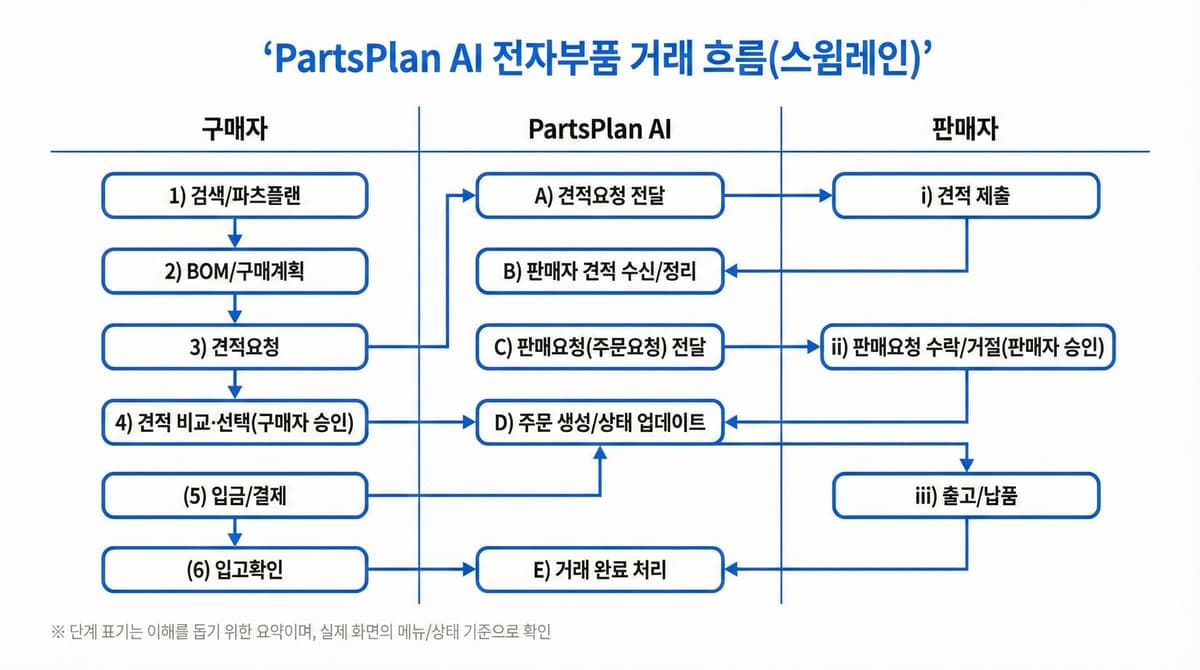
Search/Recommend/PartsPlan -> BOM Upload -> Purchase Plan (Monthly)/RFQ -> Seller Accept -> Payment -> Receiving Confirmation/Complete
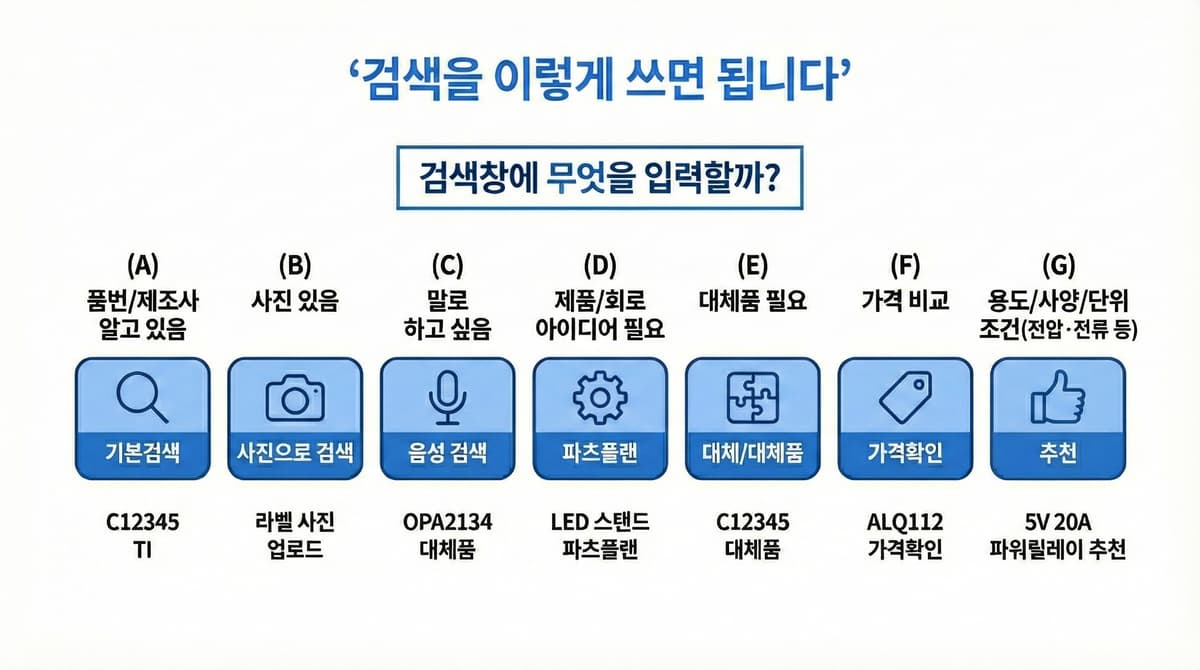
Basic search/photo/voice/PartsPlan/alternatives/price check/recommendations. Enter search terms like 'commands' and the system automatically interprets your intent.
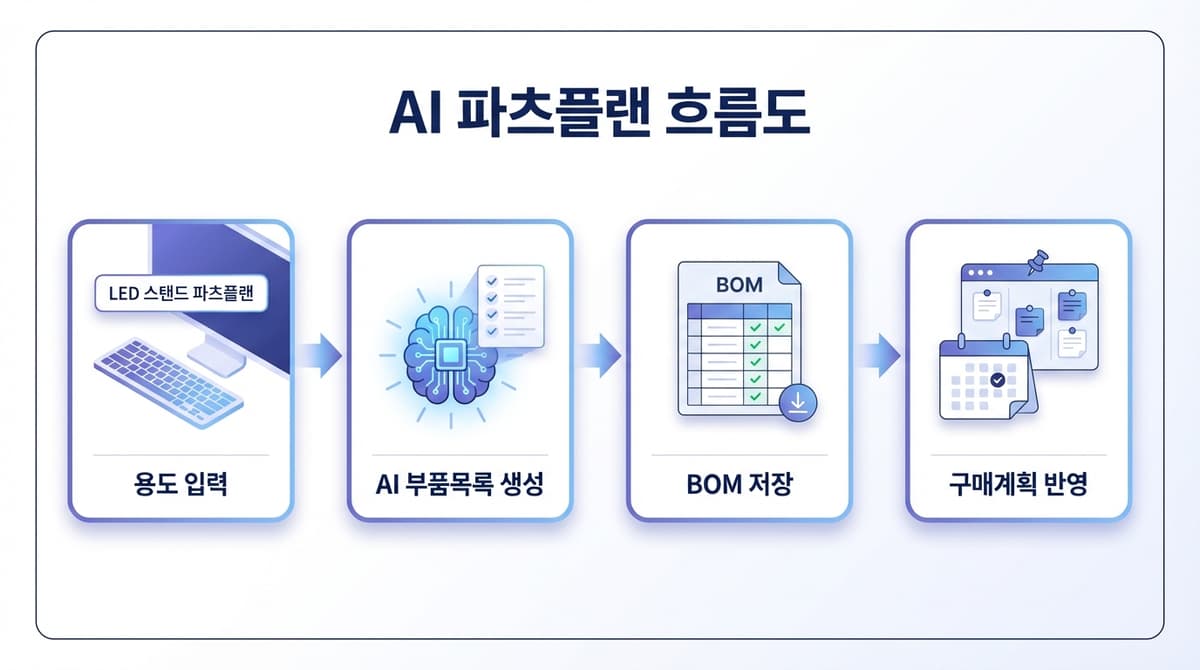
Enter the purpose of the product/equipment you want to build in natural language, and AI will generate the required parts list (BOM). The generated list can be saved as a BOM or directly applied to a purchase plan.
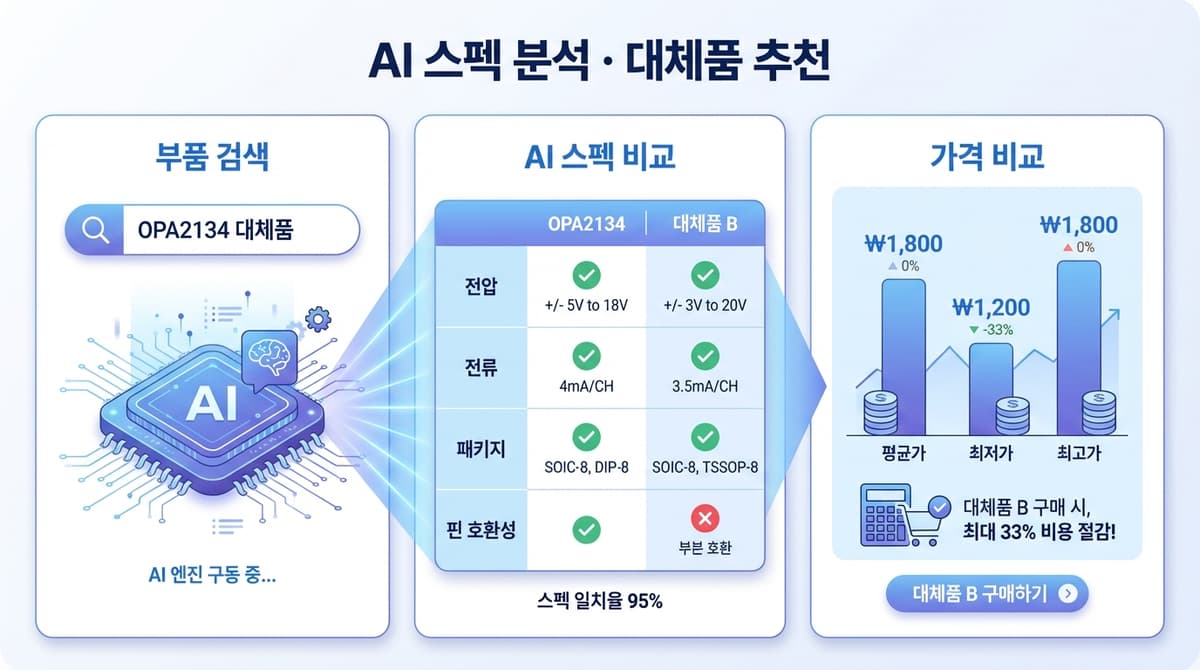
Include 'alternative', 'recommend', or 'price check' in your search to have AI analyze spec comparisons, pin-compatible alternatives, and market average prices.
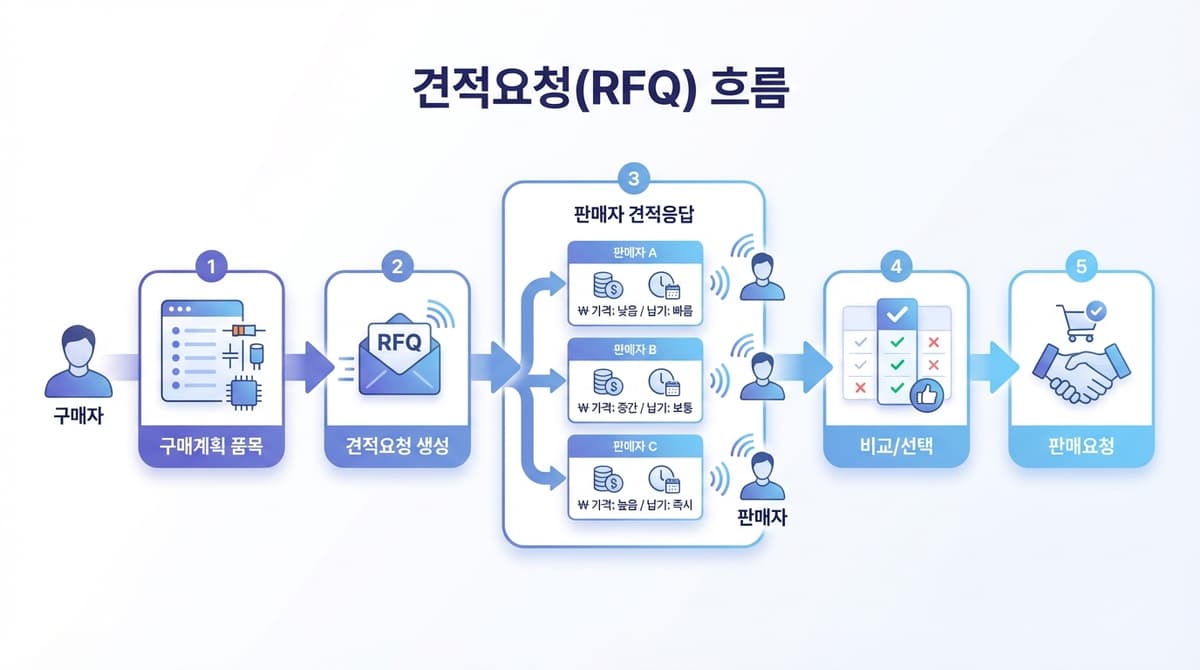
Even without inventory/quotes on PartsPlan, creating an 'RFQ' from Purchase Plan (Monthly) allows sellers to source and propose quotes.
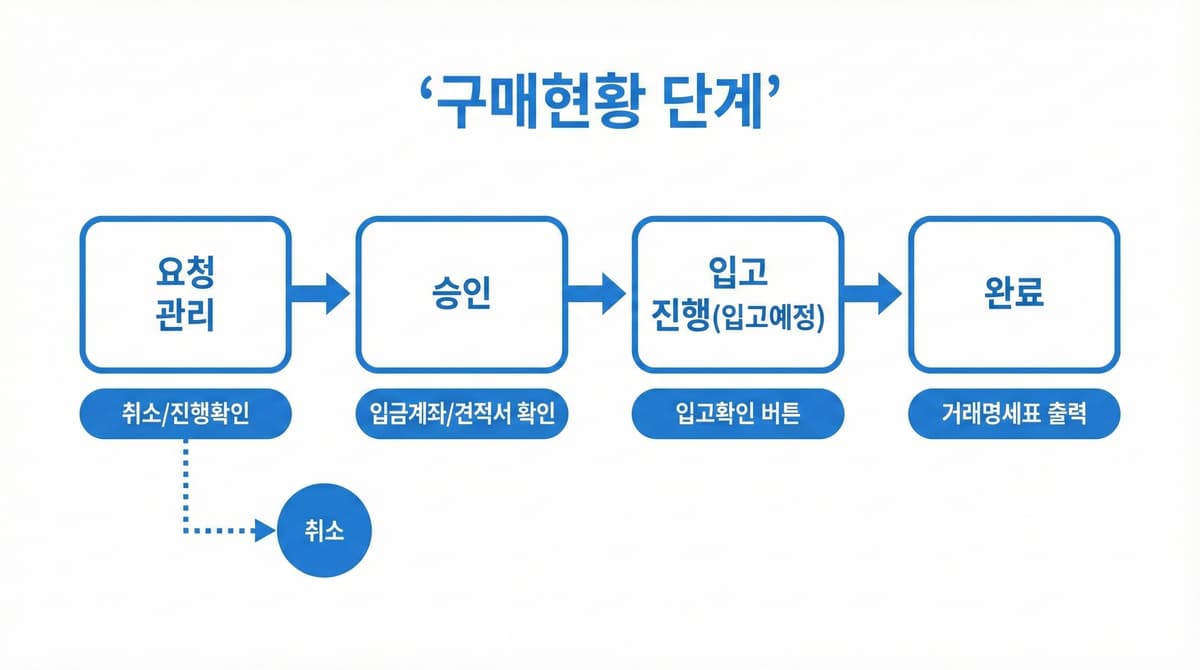
Request Management -> Approval -> Receiving In Progress (Expected) -> Complete
Review the entire process from quote -> selection/approval -> payment -> shipment/delivery -> receiving confirmation -> settlement in one view.
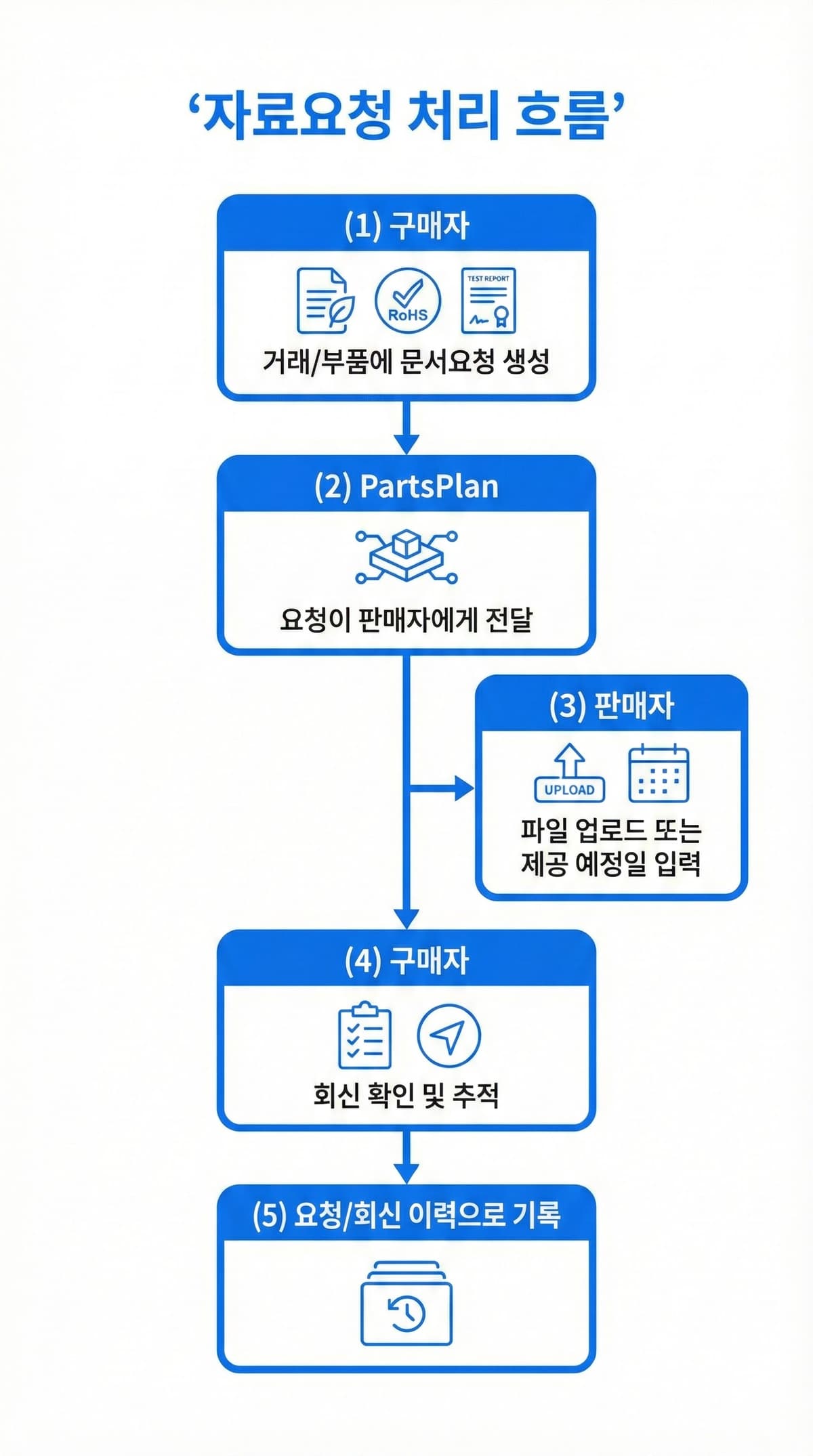
Request and manage RoHS/REACH, certificates, test reports, and other documents linked to transactions/parts.
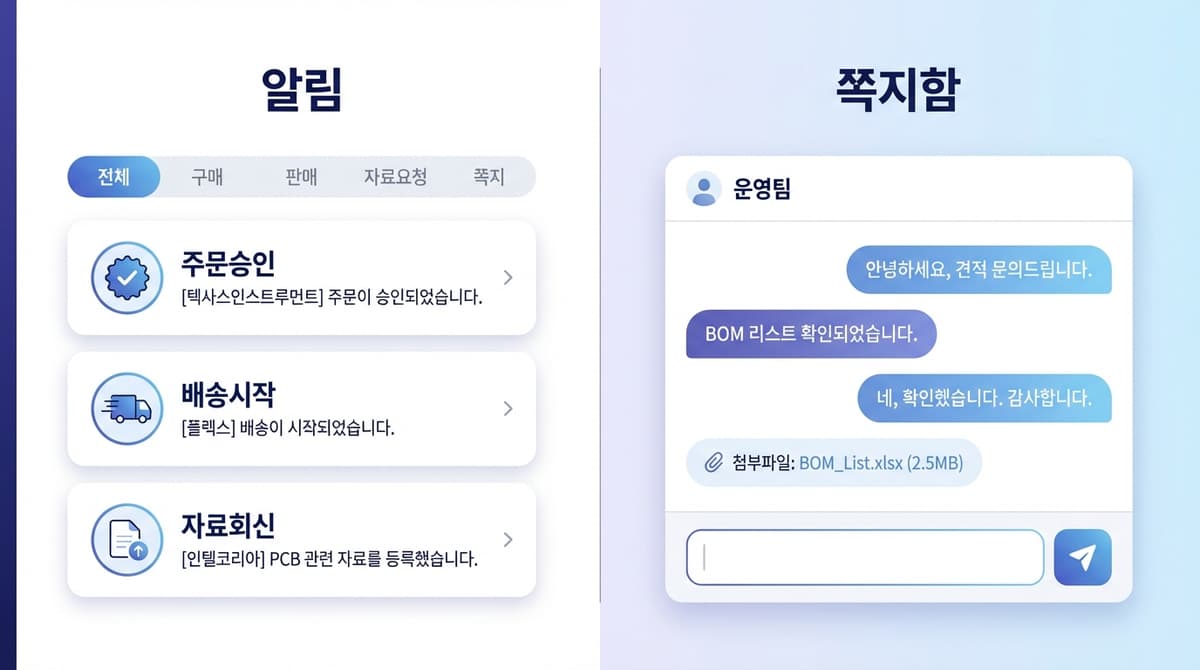
Check transaction alerts (approval/receiving/delivery), document request alerts, and messages in one place and navigate to related pages.
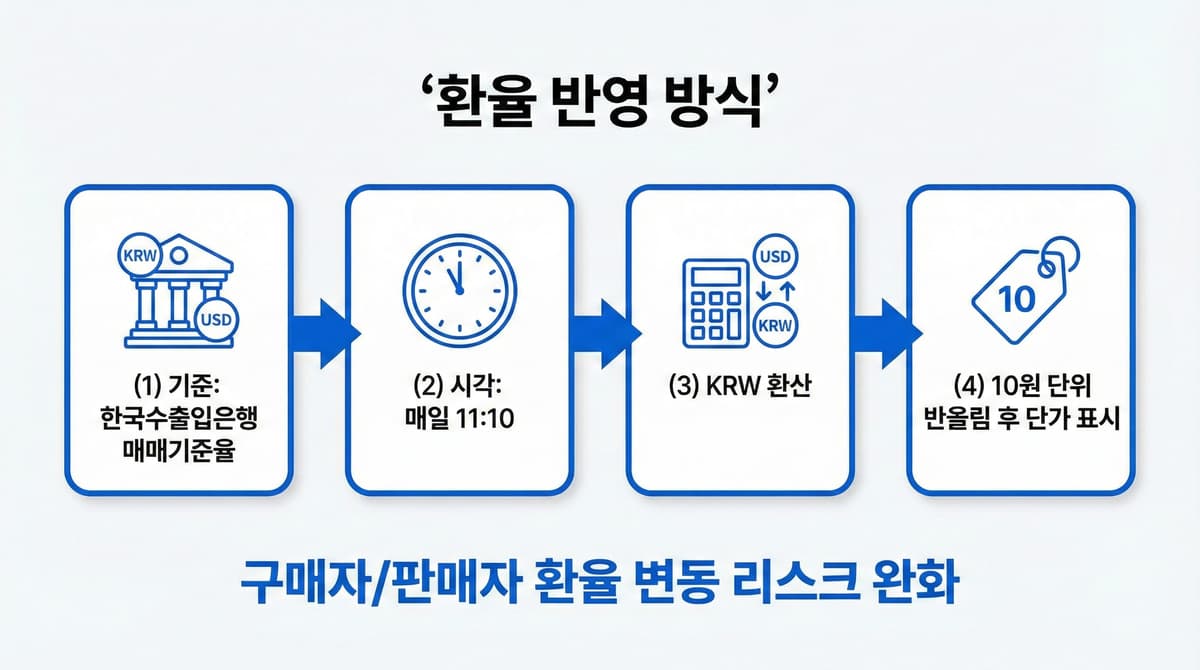
Foreign currency prices are displayed in KRW using the daily 11:10 AM exchange rate, rounded up to the nearest 10 KRW.
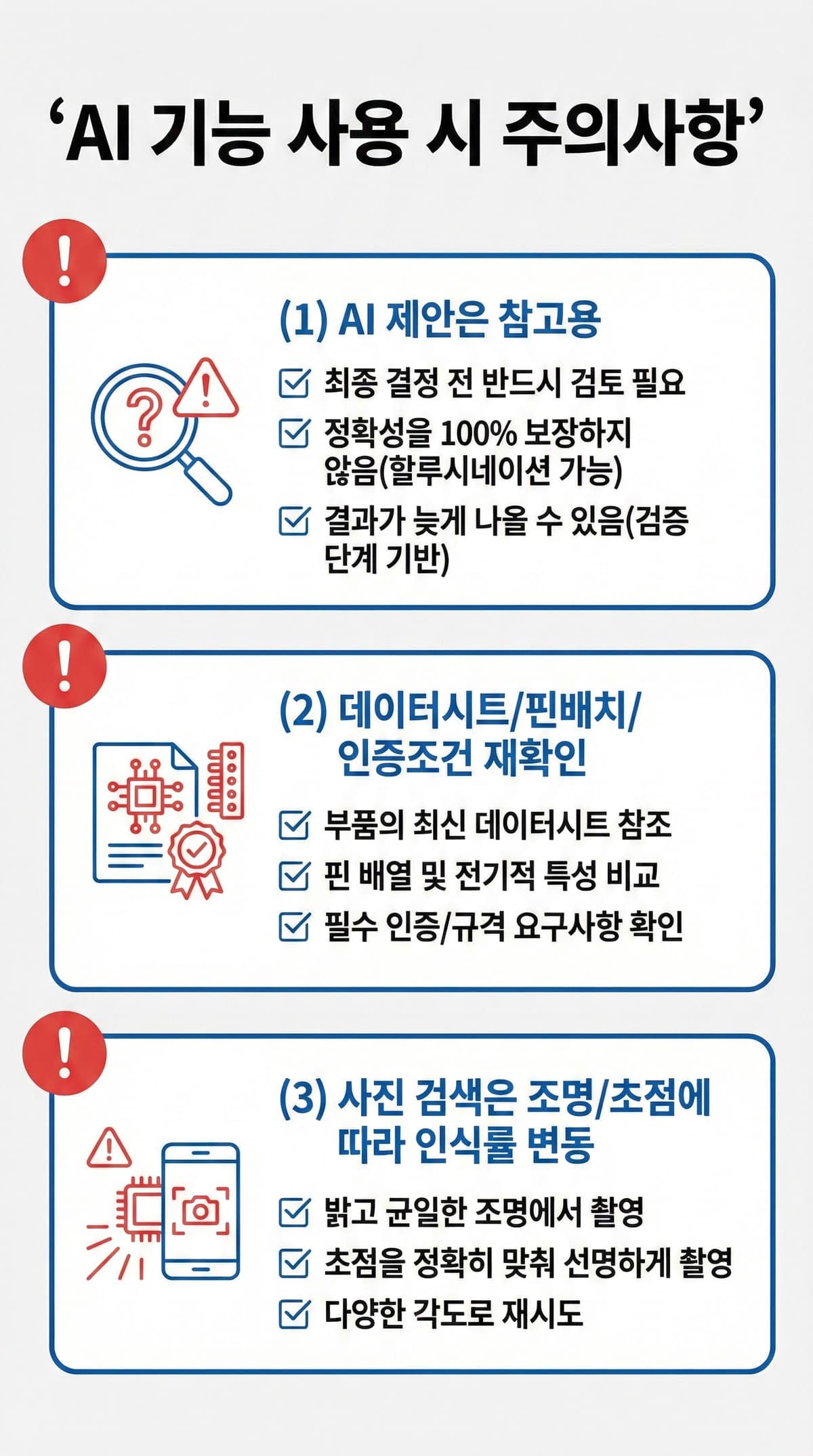
AI results are for reference only. Verify datasheet/pinout/certification requirements before making final decisions.
PartsPlan transactions have free shipping by default. However, fees may apply for remote areas, international shipping, express delivery, split shipments, and return pickups. See "Cancellation & Refund Policy" for details.
The seller console's Excel upload supports both "Replace" and "Append" modes. Check which mode you selected, and we recommend backing up your file before bulk uploads.
This is the core use case for PartsPlan. Purchase Plan (Monthly) to create items, then execute RFQ (Request for Quotation). Registered sellers will source and propose quotes.
Account Settings (/account) - Submit under "Membership Application" and an admin will review and approve.

